

Text and logos appear on iPhone videos more often than expected. Screen recordings capture app labels. Social videos save with usernames. Old clips reused for marketing still carry overlays that no longer belong. On a small screen, these marks may seem harmless. Once the same video is shared elsewhere, they become distracting. This is why many iPhone users look for reliable ways to remove text from videos without damaging quality.
Native editing tools on iOS can trim and crop, yet they cannot erase text cleanly. X-Design offers a browser based solution that works smoothly on iPhone, without requiring an app install. The tool is available and fits naturally into everyday mobile workflows, from quick social edits to more polished brand content.

Why text removal is tricky on iPhone
iPhones are powerful, yet video enhancer tools on mobile still come with limits. The Photos app allows trimming and basic adjustments. Cropping can hide text, though it often cuts out important visual details. Blurring draws attention to the problem instead of solving it.
Text overlays move. Backgrounds shift. Lighting changes frame by frame. Removing a logo from a still image is simple compared to video, where every frame must stay consistent. A tool that only edits one frame leaves behind flicker and smudges.
That is why AI driven removal matters. Instead of guessing, modern systems analyse how pixels move and rebuild what should exist behind the text.
Why X-Design works well on iPhone
X-Design runs in the browser, which makes it accessible on iPhone without downloads. Safari or Chrome handles the upload, processing, and preview. The interface adapts well to smaller screens, so selections and previews remain usable.
More importantly, X-Design treats video as part of a larger creative system. Once text is removed, the clip does not become a finished file by default. It can move into editing, resizing, or styling right away.
The watermark remover uses AI to track text or logos across frames, then reconstructs the hidden area based on surrounding motion and texture. This keeps the background natural instead of flat or smeared.
How to remove text from videos on iPhone using X-Design
The process fits easily into a mobile routine and does not require technical knowledge.
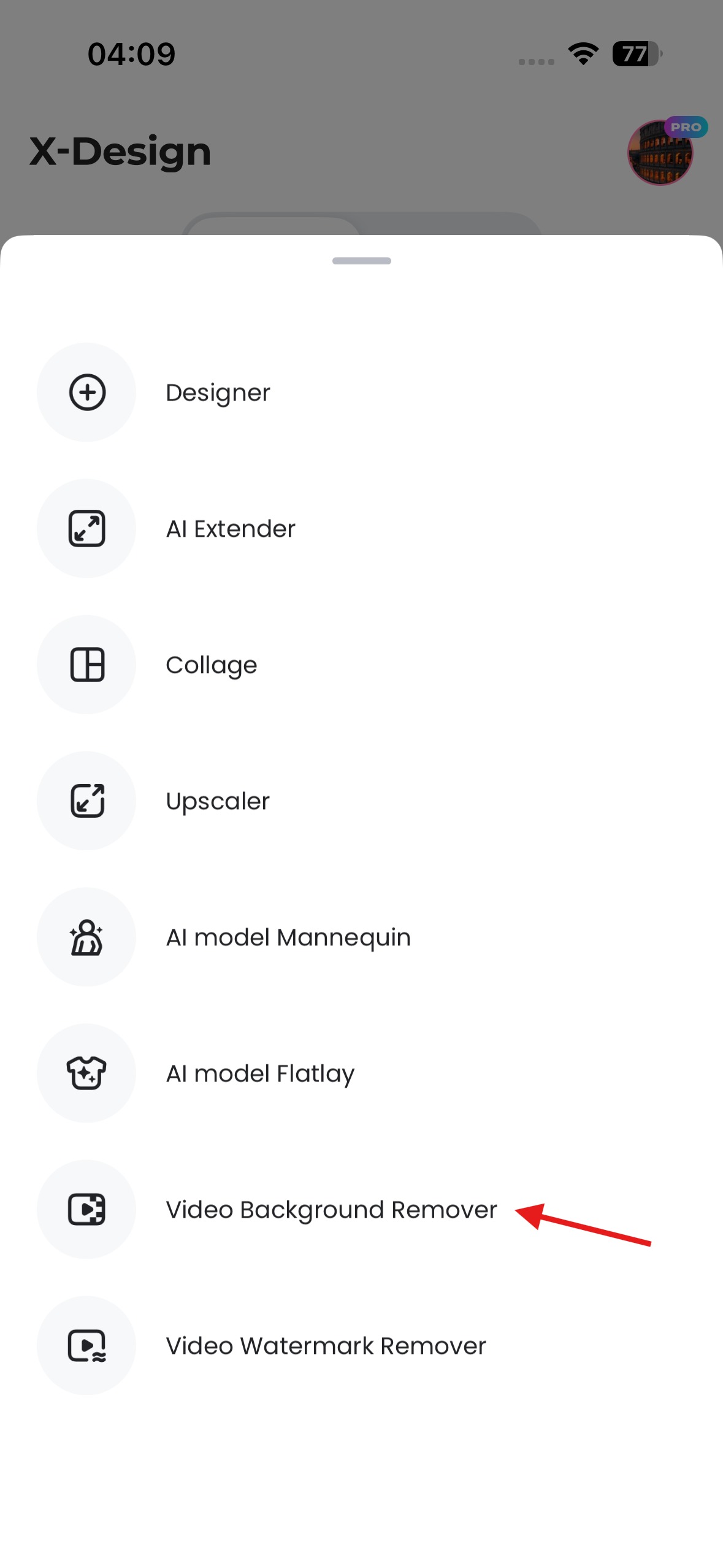
Step one: Open X-Design app
On the X-Design app on your iPhone
Step two: Upload the video
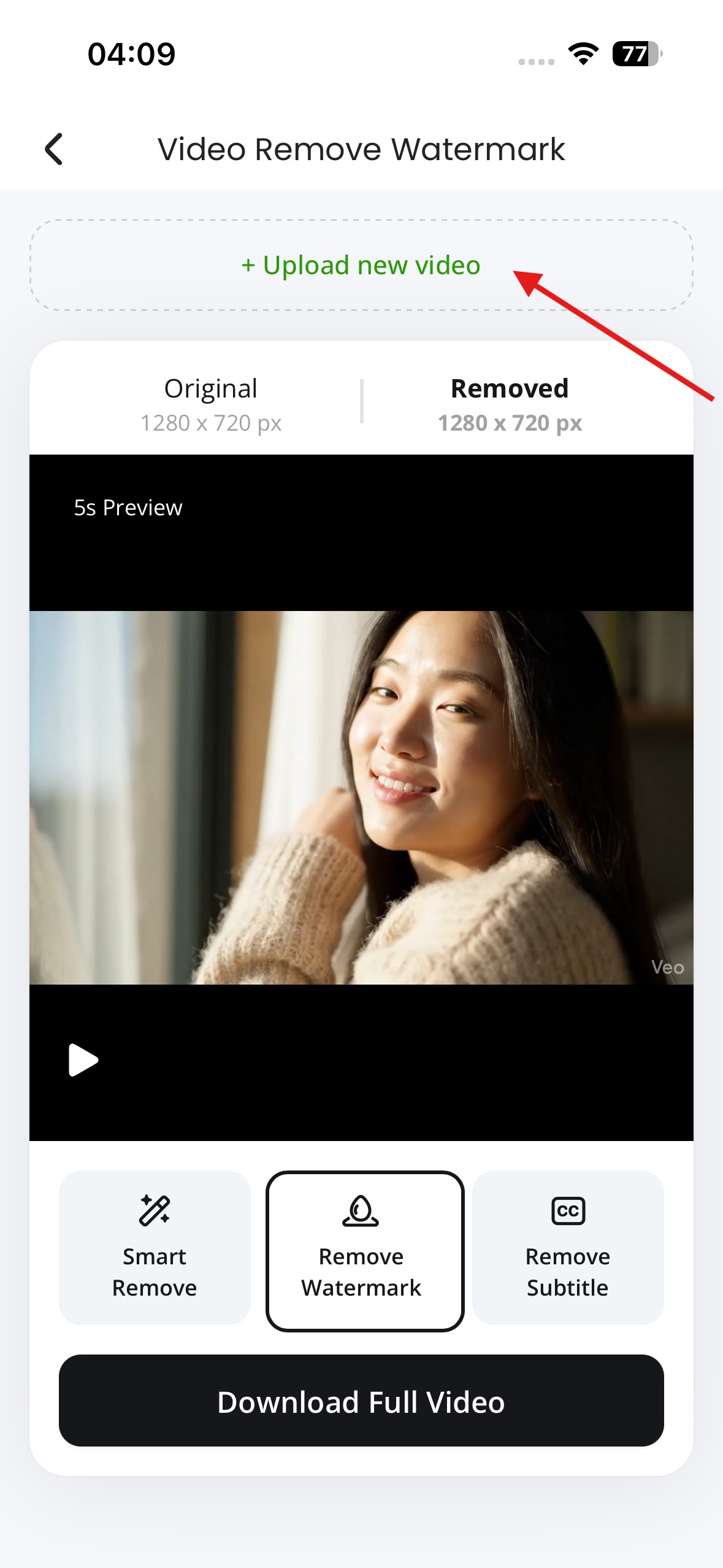
Select a video from the Photos library or Files app. Common formats recorded on iPhone, such as mp4 and mov, are supported.
Step three: Select the text or logo
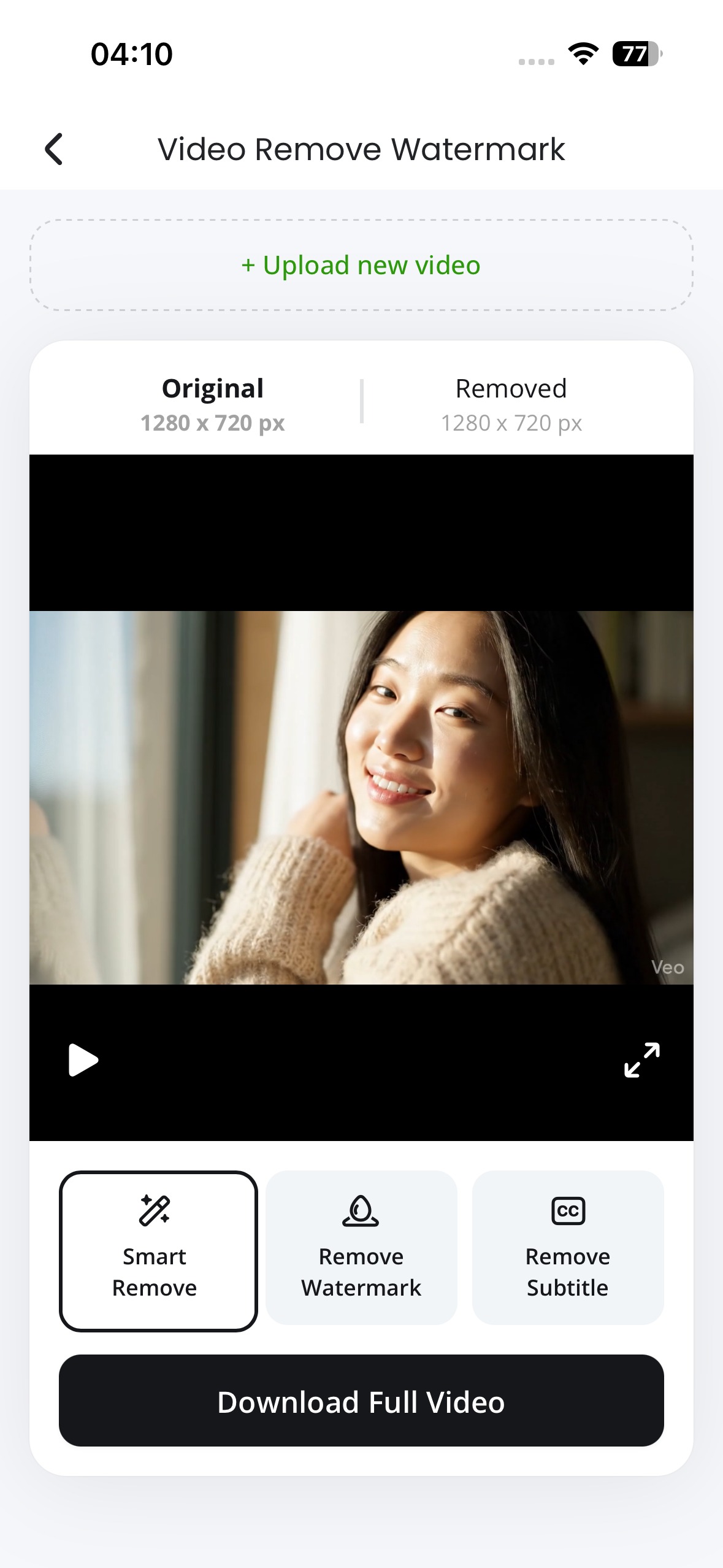
Once the video loads, a selection tool allows marking the text or watermark. This can be a username, caption, timestamp, or logo. The selection adjusts frame by frame automatically.
Step four: Let the AI process the video
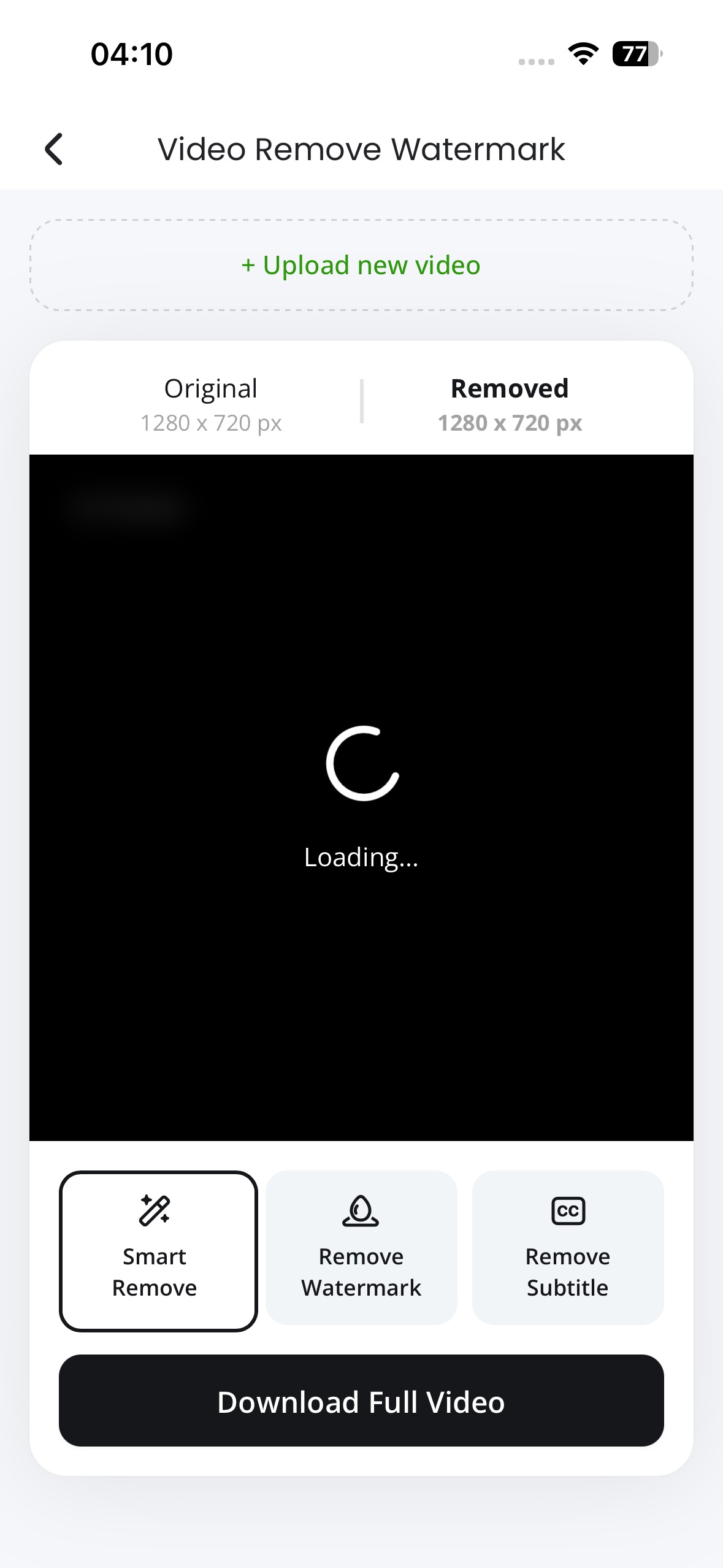
The system analyses motion, lighting, and surrounding details. It then fills the selected area across every frame so the removal stays consistent.
Step five: Preview and export
A preview shows how the video looks after cleanup. If needed, the selection can be refined. When satisfied, export the cleaned video back to the iPhone.
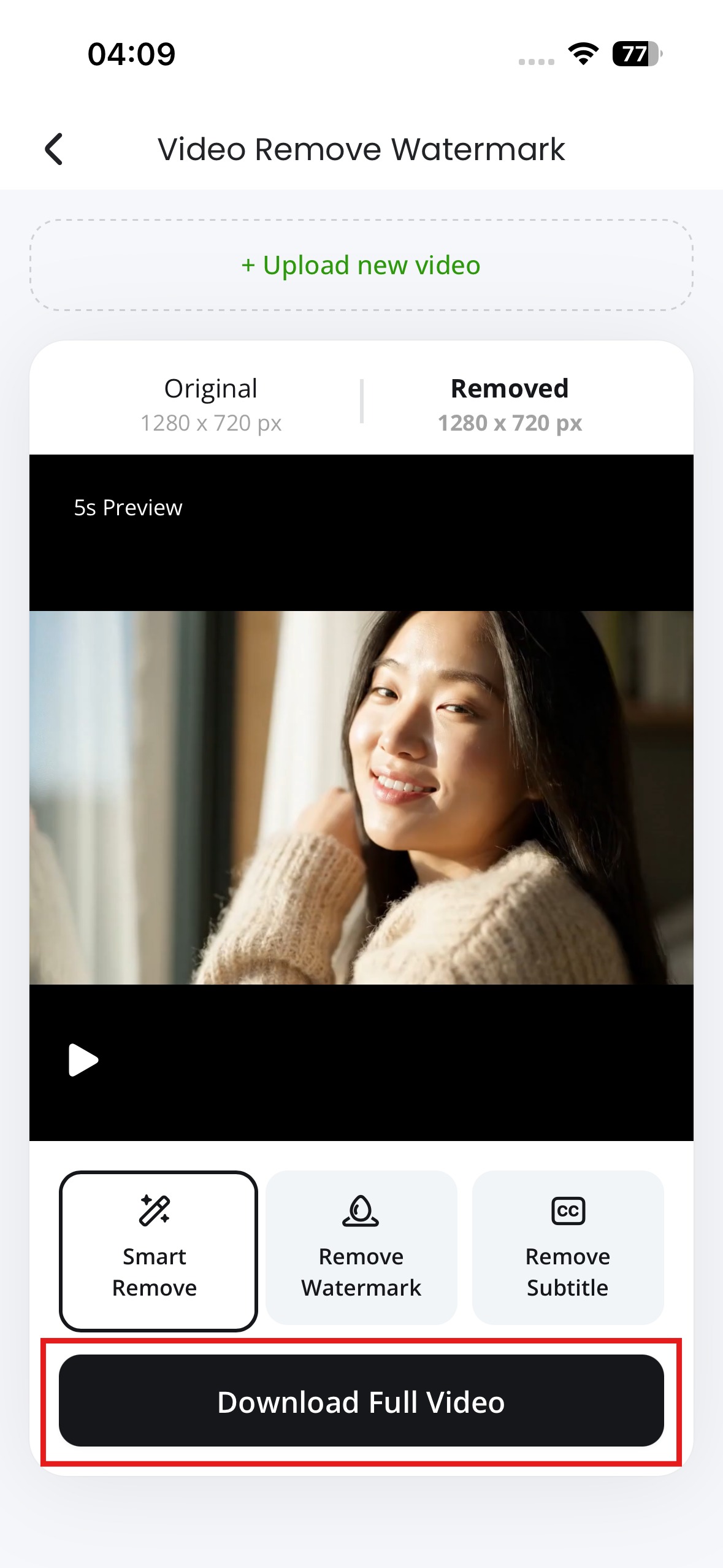
Features of X-Design’s watermark remover
- AI based detection of text and logos
- Motion aware background reconstruction
- Works with moving overlays
- Browser based access on iPhone
- Preview before export
These features make it suitable for more than just simple corner logos.
Pros and cons of using X-Design on iPhone
Pros
- Handles moving text cleanly
- Works well for social and marketing videos
- Connects directly to editing tools
Cons
- Large videos take time to upload on mobile data
- Advanced features require a paid plan
Common situations where iPhone users need text removal
Text removal is not limited to viral videos. Many everyday cases benefit from it.
- Screen recordings for tutorials or demos
- Reposting personal videos without usernames
- Cleaning up marketing clips before reuse
- Removing captions baked into old exports
- Preparing videos for websites or ads
In each case, the goal is the same. Keep the video flexible and free of distractions.
How X-Design keeps video quality intact
Removing text often leaves behind artifacts. Soft patches. Flicker. Edges that look unnatural. X-Design avoids this by analysing each frame instead of treating the video as a stack of images.
The system studies nearby pixels, shadows, and movement. It predicts what should exist behind the text and rebuilds that space as the scene changes. When paired with built in enhancement tools, the final result stays sharp and balanced, even after cleanup.
Other video features available in X-Design
X-Design offers more than watermark removal. For iPhone users creating regular content, these tools often matter just as much.
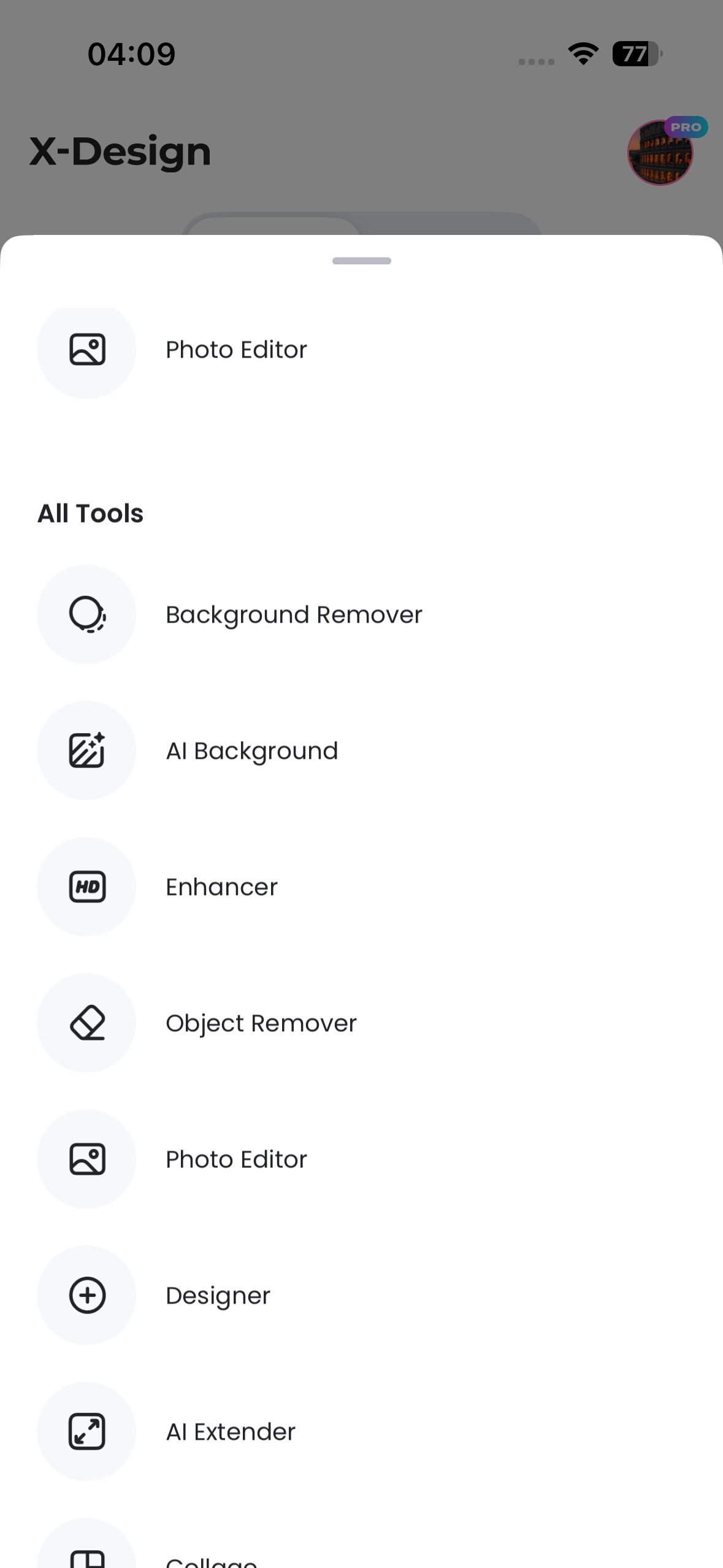
Video editing
Trim, crop, and resize clips without leaving the platform. This helps adjust videos for different social formats or screen sizes.
Video generation
Create short promotional clips or visual elements using templates and AI assisted generation. This fills gaps when original footage is limited.
Brand Styling
Apply consistent colors, fonts, and layouts across videos. This is useful for businesses posting from mobile but needing brand alignment.
Asset management
Videos, images, and layouts stay organised in one place. This makes it easier to reuse content without starting from scratch.
When X-Design makes the most sense on iPhone
X-Design works best when video editing is part of an ongoing routine rather than a one time task. Social managers, small business owners, and creators often need to clean and repost videos weekly. Doing this directly from an iPhone saves time.
Instead of transferring files to a computer, everything stays mobile. Cleanup, edits, and exports happen in one flow.
Tips For better results on Mobile
- Use Wi-Fi for larger uploads
- Select only the necessary area for removal
- Preview carefully before exporting
- Keep original files saved separately
These small steps reduce processing time and improve final quality.
Final thoughts
Removing text from videos on iPhone no longer requires workarounds or heavy desktop software. With X-Design, the process fits naturally into a mobile workflow while delivering clean results. The AI watermark remover handles the technical side, while editing and enhancement tools help turn cleaned clips into usable content.
For anyone recording, editing, and sharing video directly from an iPhone, this approach keeps footage flexible, polished, and ready for wherever it needs to appear next.
